第 19 課 - 歷史紀錄
在這一課,我們會探索如何實作與歷史紀錄相關的功能。
無論是文字編輯器還是圖形編輯器,歷史紀錄與復原重做都是必備功能。如同 JavaScript-Undo-Manager 的實作,我們可以用 undoStack 保存每一次操作及其反向操作:
function createPerson(id, name) {
    // first creation
    addPerson(id, name);

    // make undoable
    undoManager.add({
        undo: () => removePerson(id),
        redo: () => addPerson(id, name),
    });
}也可以用兩個堆疊分別管理復原與重做,見:UI 演算法:一個小巧的復原堆疊。Figma 的多人技術如何運作 的最後一節介紹了 Figma 的實作方式:
這就是為什麼在 Figma 中,復原操作會在復原當下修改重做歷史,同樣地,重做操作也會在重做當下修改復原歷史。
參考 Excalidraw 的 HistoryEntry,我們新增一個 History 類別來管理復原與重做。
export class History {
    #undoStack: HistoryStack = [];
    #redoStack: HistoryStack = [];

    clear() {
        this.#undoStack.length = 0;
        this.#redoStack.length = 0;
    }
}
歷史堆疊中的每一筆都包含兩種對系統狀態的修改,下面會說明:
type HistoryStack = HistoryEntry[];
export class HistoryEntry {
    private constructor(
        public readonly appStateChange: AppStateChange,
        public readonly elementsChange: ElementsChange,
    ) {}
}
設計狀態
參考 Excalidraw,我們把系統狀態分成 AppState 與 Elements。前者包含畫布以及 UI 元件的狀態,例如目前的主題、相機縮放等級、工具列的設定與選取等。
export interface AppState {
    theme: Theme;
    checkboardStyle: CheckboardStyle;
    cameraZoom: number;
    penbarAll: Pen[];
    penbarSelected: Pen;
    taskbarAll: Task[];
    taskbarSelected: Task[];
    layersSelected: SerializedNode['id'][];
    propertiesOpened: SerializedNode['id'][];
}
可以看到,我們偏好扁平的資料結構,而不是 { penbar: { all: [], selected: [] } } 這種巢狀物件,好讓狀態差異的考量更快、更簡單,而且不需要遞迴,見:distinctKeysIterator。
後者是畫布上的圖形陣列。我們先前在 第 10 課 序列化圖形的脈絡中已經談過。這裡改用扁平陣列而不是樹狀結構,把 attributes 物件裡的屬性上提到最外層,並用稍微不同的方式表示父子關係:以 parentId 關聯父節點的 id。不過,我們不能直接走訪樹狀結構來渲染,還需要依照某些規則為圖形陣列排序,這一點稍後會談:
// before
interface SerializedNode {
    id: string;
    children: [];
    attributes: {
        fill: string;
        stroke: string;
    };
}

// after
interface SerializedNode {
    id: string;
    parentId?: string;
    fill: string;
    stroke: string;
}
考量到協作,我們稍後會再加上 version 這類屬性。
狀態即快照
下面這張來自 狀態即快照 的圖,展示 React 的渲染函式如何執行,然後在更新 DOM 樹之前取得一份快照:
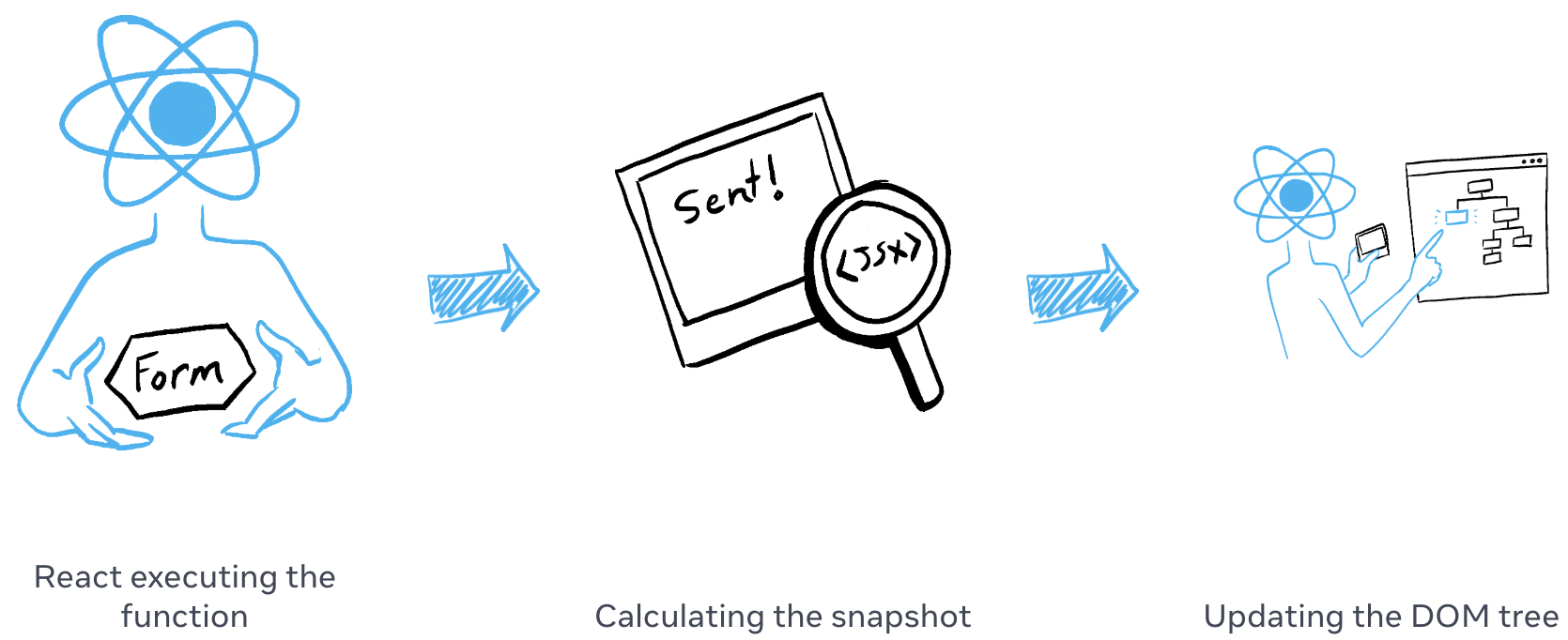
我們的快照包含上面定義的兩種系統狀態。任一時刻系統只會有一份快照,每次狀態改變時,都可以和目前的快照計算,得到對應的狀態修改。例如 ElementsChange 中的「某個圖形被刪除」,AppStateChange 中的「某個圖層被選取」,諸如此類。
class Snapshot {
    private constructor(
        public readonly elements: Map<string, SerializedNode>,
        public readonly appState: AppState,
    ) {}
}
那麼系統應該如何更新快照?策略上可以選擇直接覆寫,或計算增量更新。Excalidraw 提供 captureUpdate 來描述這兩種行為,它們適用於不同情境。例如直接覆寫適合場景初始化,畢竟這時候沒有必要退回空白畫布的狀態:
class Store {
    private _snapshot = Snapshot.empty();

    commit(
        elements: Map<string, SerializedNode> | undefined,
        appState: AppState | undefined,
    ) {
        try {
            // Capture has precedence since it also performs update
            if (this.#scheduledActions.has(CaptureUpdateAction.IMMEDIATELY)) {
                this.captureIncrement(elements, appState);
            } else if (this.#scheduledActions.has(CaptureUpdateAction.NEVER)) {
                this.updateSnapshot(elements, appState);
            }
        } finally {
            // Defensively reset all scheduled actions, potentially cleans up other runtime garbage
            this.#scheduledActions = new Set();
        }
    }
}
讓我們把焦點放在如何計算增量,並用它建立 HistoryEntry。
class Store {
    captureIncrement(
        elements: Map<string, SerializedNode> | undefined,
        appState: AppState | undefined,
    ) {
        const prevSnapshot = this.snapshot;
        const nextSnapshot = this.snapshot.maybeClone(elements, appState);
        const elementsChange = nextSnapshot.meta.didElementsChange
            ? ElementsChange.calculate(
                  prevSnapshot.elements,
                  nextSnapshot.elements,
                  this.api,
              )
            : ElementsChange.empty();
        // AppStateChange 同理

        // Use history.record to create HistoryEntry
    }
}
來看看如何新增一筆歷史紀錄。
記錄歷史項目
在本節開頭的範例中,我們用 API 插入了兩筆歷史,用來更新矩形的填色。你可以用頂部工具列的復原與重做操作來試試:
api.updateNode(node, {
    fill: 'red',
});
api.record();

api.updateNode(node, {
    fill: 'blue',
});
api.record();
每次呼叫 api.record,都會用目前的 AppState 與 Elements 狀態更新快照:
class API {
    record(
        captureUpdateAction: CaptureUpdateActionType = CaptureUpdateAction.IMMEDIATELY,
    ) {
        if (
            captureUpdateAction === CaptureUpdateAction.NEVER ||
            this.#store.snapshot.isEmpty()
        ) {
            this.#store.shouldUpdateSnapshot();
        } else {
            this.#store.shouldCaptureIncrement();
        }
        this.#store.commit(arrayToMap(this.getNodes()), this.getAppState());
    }
}
每次呼叫 api.record 都會新增一筆歷史紀錄,因為圖形的狀態確實改變了;但要注意,只有 AppState 的變更不應重設 redoStack。當變更發生時,我們把該變更的反向操作加入 undoStack:
export class History {
    record(elementsChange: ElementsChange, appStateChange: AppStateChange) {
        const entry = HistoryEntry.create(appStateChange, elementsChange);

        if (!entry.isEmpty()) {
            // 添加逆操作
            this.#undoStack.push(entry.inverse());
            if (!entry.elementsChange.isEmpty()) {
                this.#redoStack.length = 0;
            }
        }
    }
}
現在可以看看如何為 Change 設計 AppStateChange 與 ElementsChange 資料結構,讓我們能使用通用的 entry.inverse(),而不必用 add/removeFill、add/removeStroke 這類方式逐一描述每個可變屬性。
設計變更結構
Excalidraw 中的 Change 介面非常簡單:
export interface Change<T> {
    /**
     * Inverses the `Delta`s inside while creating a new `Change`.
     */
    inverse(): Change<T>;

    /**
     * Applies the `Change` to the previous object.
     *
     * @returns a tuple of the next object `T` with applied change, and `boolean`, indicating whether the applied change resulted in a visible change.
     */
    applyTo(previous: T, ...options: unknown[]): [T, boolean];

    /**
     * Checks whether there are actually `Delta`s.
     */
    isEmpty(): boolean;
}
兩種狀態的變更都可以用泛型描述,其中 SceneElementsMap 是 Map<SerializedNode[‘id’], SerializedNode>:
class AppStateChange implements Change<AppState> {}
class ElementsChange implements Change<SceneElementsMap> {}
先從較簡單的 AppStateChange 開始。它的建構子是一個 Delta 實例,接受被刪除以及被新增/修改的屬性;如果需要反向,只要交換這兩者的順序:
class AppStateChange implements Change<AppState> {
    private constructor(private readonly delta: Delta<AppState>) {}

    inverse(): AppStateChange {
        const inversedDelta = Delta.create(
            this.delta.inserted,
            this.delta.deleted,
        );
        return new AppStateChange(inversedDelta);
    }
}

class Delta<T> {
    private constructor(
        public readonly deleted: Partial<T>,
        public readonly inserted: Partial<T>,
    ) {}
}
套用變更
export class ElementsChange implements Change<SceneElementsMap> {
    applyTo(
        elements: SceneElementsMap,
        snapshot: Map<string, SerializedNode>,
    ): [SceneElementsMap, boolean] {
        this.updated.forEach((delta, id) => {
            const { inserted, deleted } = delta;
            const element = nextElements.get(id);
            if (element) {
                Object.keys(deleted).forEach((key) => {
                    delete element[key];
                });
                Object.assign(element, inserted);
                this.api.updateNode(element, delta.inserted);
            }
        });
    }
}